More servers mean more configurations and updates to coordinate.
Working on each machine individually takes time; updating everything together increases operational risk.
Manage dozens of agents from a single point: each server runs a lightweight agent in Go, connected to the central server via gRPC mTLS. Updates start on a canary subset and continue on the rest of the fleet only if the canary remains healthy → so a faulty update doesn't bring all your servers down.
Working on each machine individually takes time; updating everything together increases operational risk.
Each agent communicates in an authenticated way and new versions are deployed first on a canary group.
If the canary does not return healthy, the distribution stops before reaching the rest of the fleet.
Guided onboarding
From the panel create the server, assign a recognisable name and get the agent's credential. The installation tab prepares the command to be copied and keeps the operating instructions in the same place.
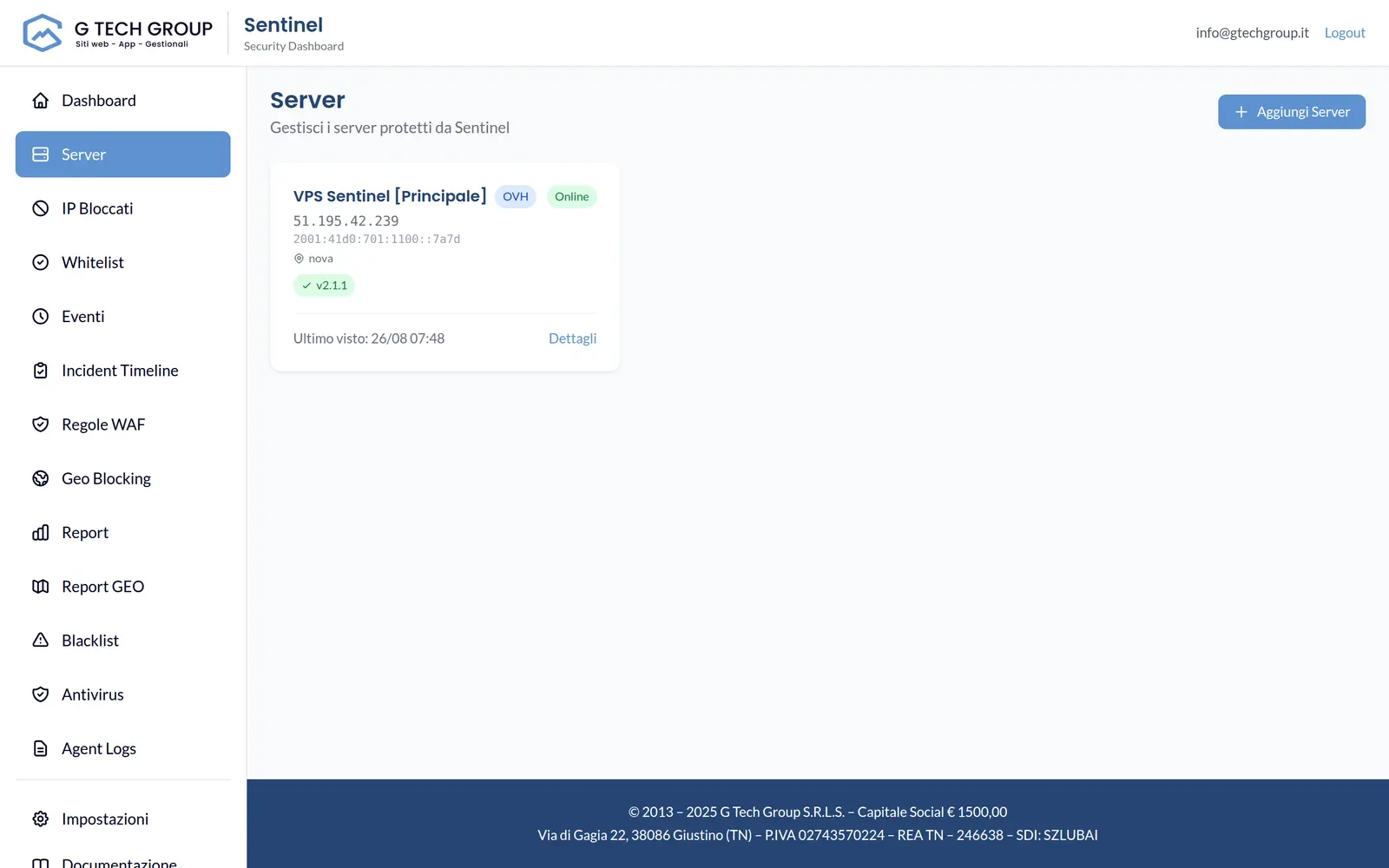
One console
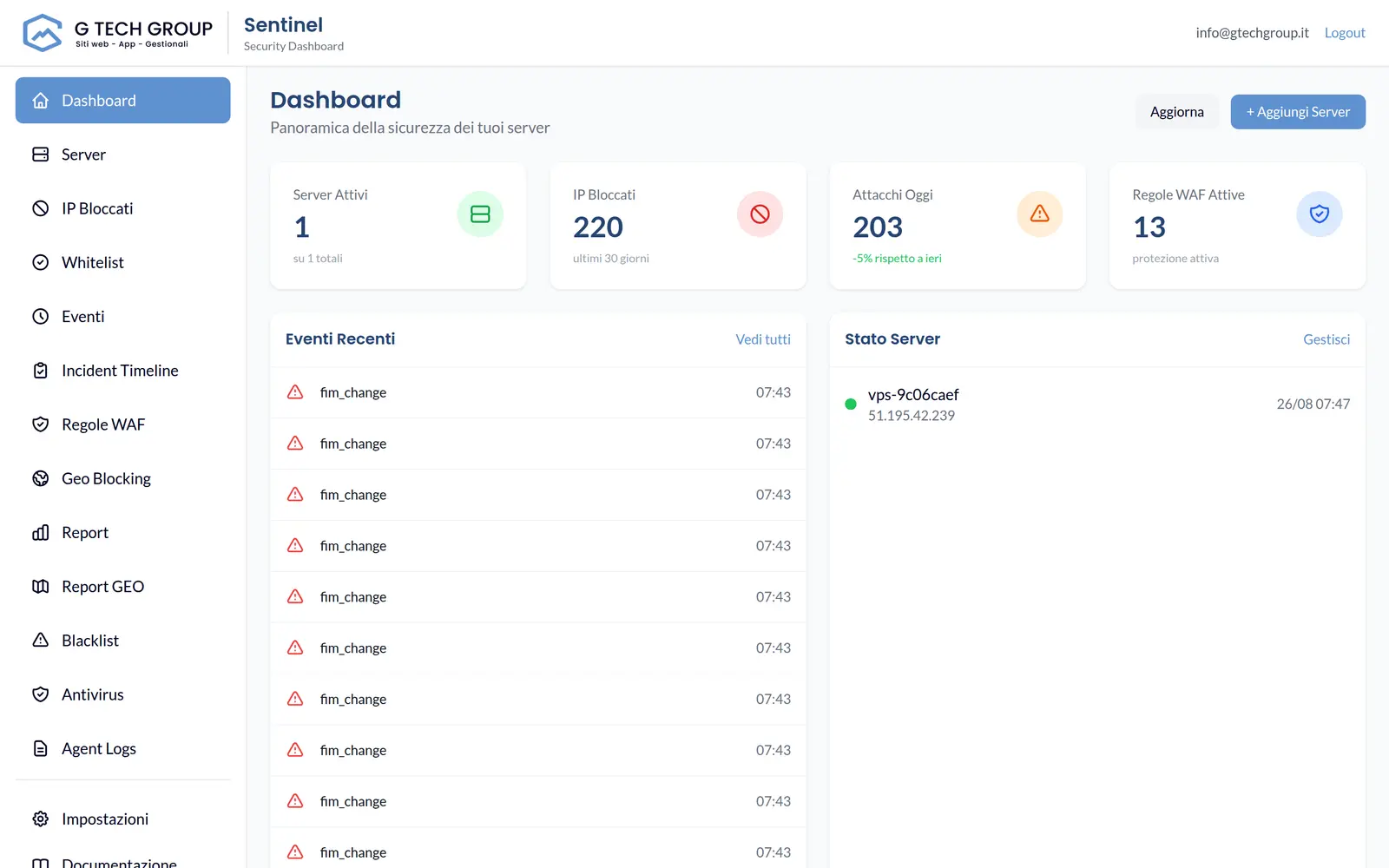
Each protected server runs a lightweight agent in Go connecting to the central server via gRPC mTLS and sends a heartbeat every 30 seconds. The dashboard collects everything at a glance: hostname, agent version, connection status and update status.
Linux and Windows
Linux is the complete platform for reverse-proxy WAF, web watchers, antivirus and FIM. The Windows agent covers inventory, heartbeat, authentication events and blocking through Windows Firewall.
WAF, rate-limit, geo and reputation, SSH, Nginx/Apache, custom watchers, file scans, FIM and firewall iptables/ipset.
Event Log security, logon attempts, inbound/outbound blocks with Windows Firewall, status and connection to the central server.
The identity of the agent, heartbeat, events and central management remain consistent; the availability of individual modules depends on the operating system.
Anti-brick canary updates
When you publish a new version, Sentinel does not update everything at once. It selects candidate online agents that are connected and not yet on the target version, then divides them: a canary equal to ceil(canaryPercent%) (default 20%, minimum 1). The rest of the fleet is promoted only if all the canaries reach the target version and re-register with the new version. Otherwise the rollout is aborted and the rest is not touched.
How Canary Works
The rollout always follows the same deterministic sequence, wave after wave.
Sentinel selects online, connected candidates that are not yet on the target version, then creates the canary group: ceil(canaryPercent%), default 20%, minimum one agent.
The canary receives the update first. Each agent downloads, checks and installs locally, then re-registers with the central server with the new version.
Sentinel waits for all canaries to reach the target version within the 15 minute timeout. If even one fails, the rollout is aborted.
Healthy canary: the rest of the fleet is updated (timeout 30 minutes). Canary failed: the rollout stops, and the rest remains on the previous version.
Watchdog & auto-recovery
Each update passes mandatory checks while a watchdog monitors the agent. A SHA-256 checksum and Ed25519 signature are required; unsigned manifests are rejected. Downloads use HTTPS with a 200 MiB limit. The agent performs an atomic backup and replacement and automatically rolls back if the new release does not start within 60 seconds.
mTLS communication
The channel between each agent and the central server uses mutual TLS authentication: the server checks the certificate of each agent (RequireAndVerifyClientCert) and the agent verifies the server. No anonymous clients, no commands from a server that is not yours.
The server accepts connections only from agents with a valid certificate; the agent only talks with the central server it recognises. Authentication is reciprocal, not one-way.
The gRPC channel imposes TLS 1.2 as a minimum version: no downgrades to obsolete protocols between agent and central server.
If the connection drops, the agent tries with progressive backoff, without hammering the server and without being orphaned by the console.
With multiple configured endpoints, the agent fails over for high availability: if a central server doesn't respond, it switches to the next one.
How to scale
The model is the same for 3 or 30 agents: one rollout at a time, shared protection and redundancy on the central server. Some limits are stated openly. The rollout status is in-memory, so a central-server restart loses the in-memory monitor: after restart, reconciliation marks stalled agents as "failed" and the rollout must be restarted. And no rollback at fleet level: the rollback is local to the agent.
Frequently asked questions
This is exactly what the canary avoids. The update starts on a subset (default 20%, minimum 1 agent) and continues on the rest of the fleet only if all the canaries reach the target version within 15 minutes. If the canary fails, the rollout is aborted and the rest of the servers are not touched.
The candidates are the online agents, connected and with a version other than the target. From there, Sentinel selects the canary group with ceil(canaryPercent%), default 20% and at least one. The others remain in the queue until the canary is checked healthy.
No, and let's say it clearly: the rollback is local to the agent if a new release does not start within 60 seconds, that single agent restores the previous version automatically. At fleet level there is no centralised rollback: the protection is to avoid promotion, not to undo it later.
The state of the rollout is in-memory, so the monitor is lost. After restart, reconciliation marks stalled agents as "failed" and the rollout should simply be re-launched. No agent is silently left in a partial state.
Each update has a SHA-256 checksum and Ed25519 signature of the manifest: an unsigned manifest is rejected. Download is only done via HTTPS with a limit of 200 MiB, with backup and atomic replacement before the switch.
We show you Sentinel live on your infrastructure: single console, anti-brick rollout and watchdog, calibrated on your servers.