
Stops threats inside WordPress.
The plugin inspects requests, logins, comments, registrations, forms and files without requiring theme changes.
Sentinel Security for WordPress
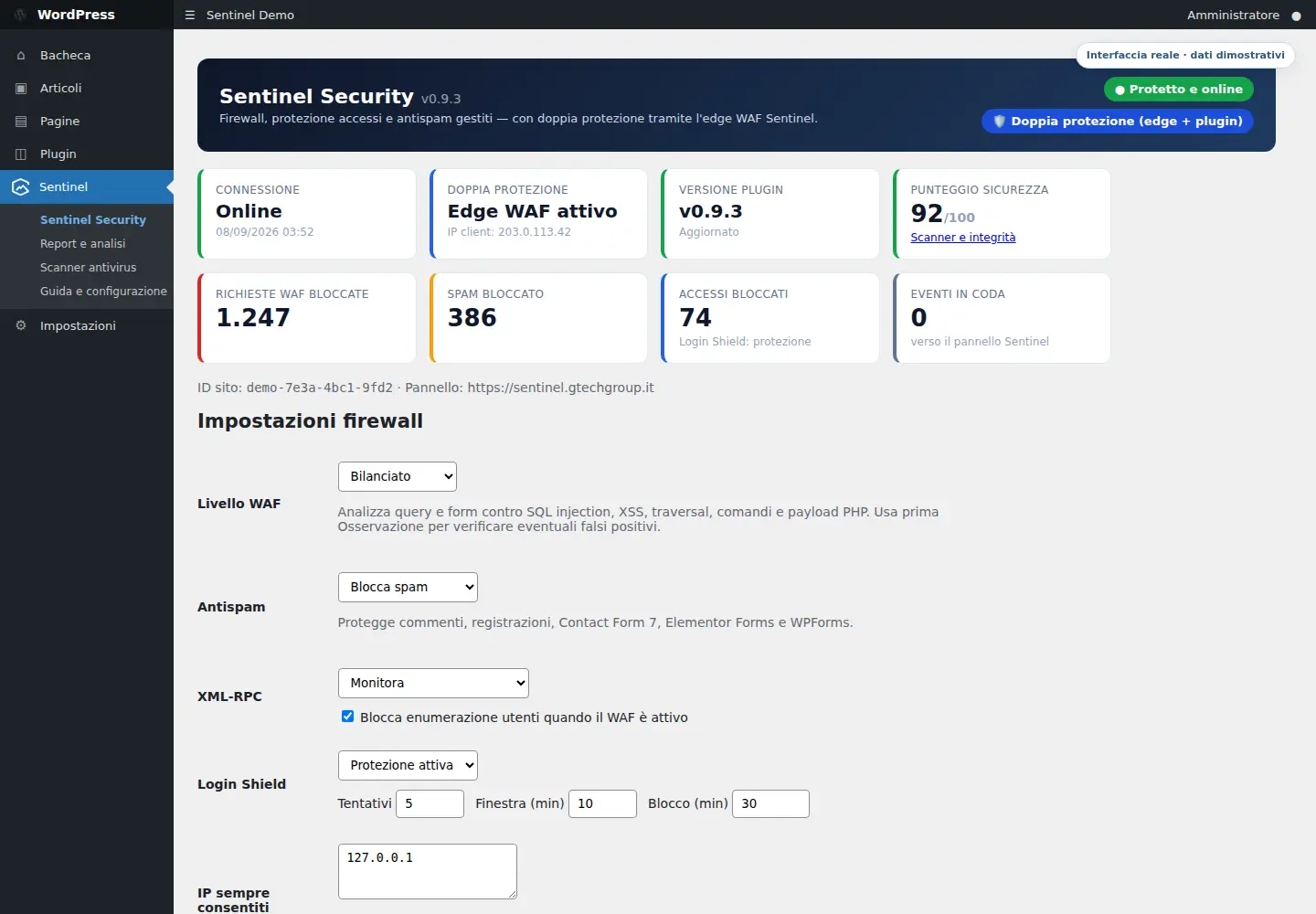
Sentinel adds a local WAF, Login Shield, antispam, malware scanning and integrity checks to your site. The panel centralises configuration, inventory and events; when available, the edge WAF adds a first layer before traffic reaches WordPress.
Compatible with WordPress 6.0+ and PHP 7.4+ · safe initial configuration in observation mode
The plugin inspects requests, logins, comments, registrations, forms and files without requiring theme changes.
Operating modes, inventory, version, last contact, reports and events are available in one console.
When the domain runs through the Sentinel WAF, edge protection filters traffic upstream and the plugin securely preserves the visitor's real address.
Multi-level defence
The plugin is more than an admin screen: it enforces controls on the site and exchanges only the status, policies and events required for management with Sentinel.
Stops hostile requests, application floods and disallowed traffic upstream, before they reach the WordPress server.
Understands WordPress and protects logins, XML-RPC, forms, comments and files through locally enforced rules.
Collects inventory, status, modes, trends and authenticated events, maintaining a consistent view across all connected sites.
WordPress Protection
Each module can begin in observation mode, allowing rules to be evaluated before active blocking is enabled.
Inspects paths and GET and POST parameters to detect path traversal, XSS, SQL injection, command injection and PHP execution attempts.
Counts failed attempts by source and applies a temporary block when the configured threshold is exceeded.
Locally evaluates links, recurring terms, hidden HTML and anomalous patterns, and can request a reputation-based second opinion from the server.
Monitors or disables XML-RPC and stops user-enumeration attempts through author parameters and the users REST API.
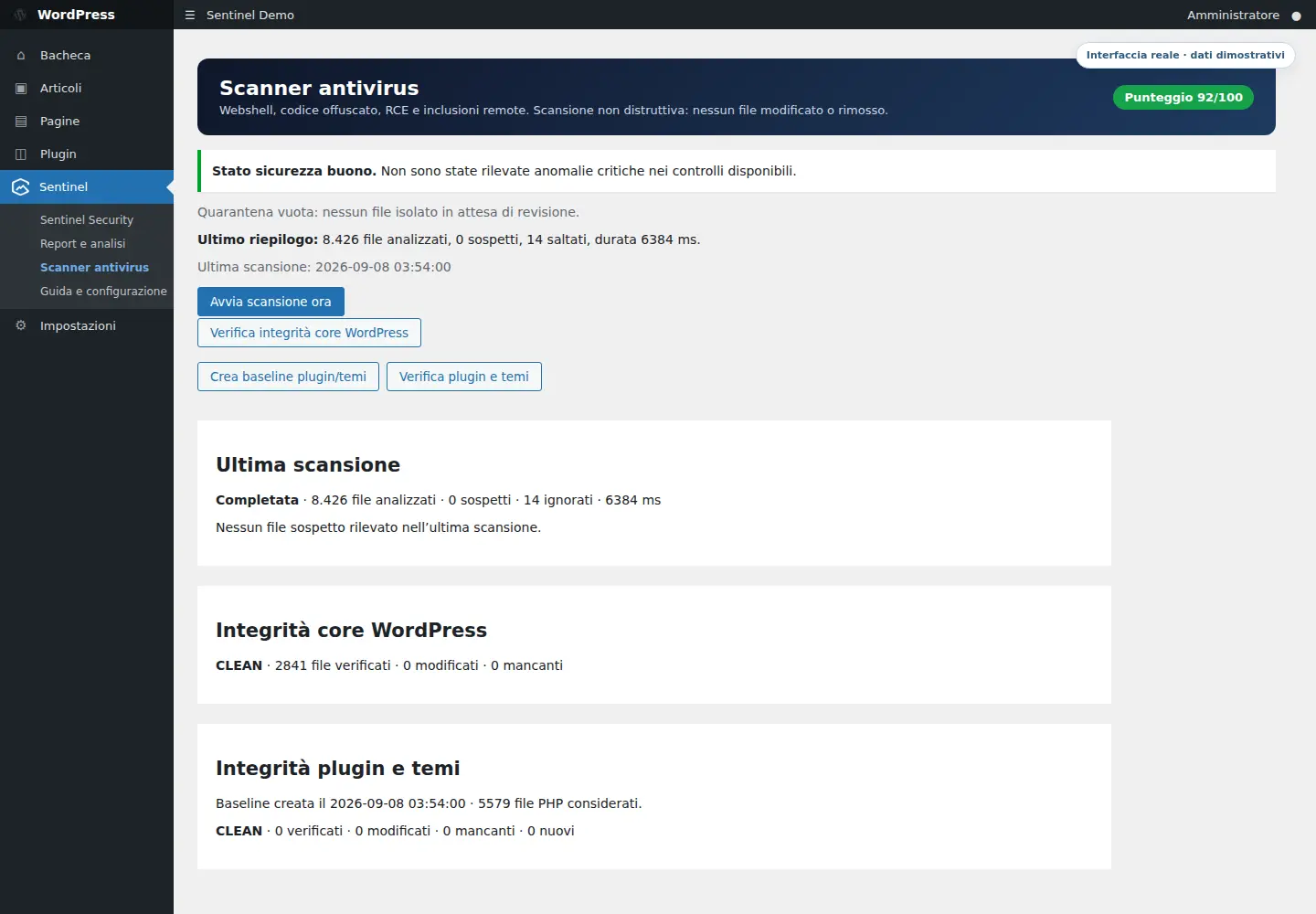
Finds web shells, obfuscated code, dangerous execution functions, remote includes and encoded payloads without automatically deleting files.
Compares WordPress core against official checksums and verifies plugins and themes against an administrator-created SHA-256 baseline.
A suspicious file can be manually moved to AES-256-GCM encrypted quarantine while retaining its hash, permissions and original path for verified restoration.
Records the events needed to understand what happened: failed and successful logins, new users, activations, updates, XML-RPC calls and blocks.
Centralised control
The website tab shows link health, plugin version, WordPress environment and actual configuration. Changes to the modes are delivered on the next heartbeat and remain visible in the plugin as well.
Scanner and integrity
The Scanner page separates malware, core integrity and extensions. Each finding includes its path, severity, reason, size and SHA-256 hash so the administrator can verify it before taking action.
Report and visibility
The plugin provides a local report; the panel brings together the events of the linked sites and shows protection volume, trends and distribution.
Security score, WAF blocks, spam stopped, blocked access, queued events and charts of the last 14 days.
Online status, version, last contact, environment, active capabilities, configuration and event history of the individual site.
Intervals of 7, 30 or 90 days, trend compared to the previous period, distribution by type, most affected sites and recent events.
The operational data for the period can be exported for verification, historical comparison and sharing with the technical contact person.
Connection and data
The token generated in the panel is linked to the domain, is valid only once and expires after 24 hours. After activation the site receives a dedicated credential, encrypted locally with WordPress keys.
Guided activation
Activation begins with safe defaults: first it connects and observes, then you choose the blocking modes suitable for the site.
In the panel, enter the exact address of the site, generate the one-time token and download the associated plugin.
Upload the package to WordPress, activate Sentinel and use the token on the connection page.
Review events, reports, module compatibility and the first scan without aggressive blocking.
WAF, antispam, Login Shield and XML-RPC settings from the plugin or panel according to the website's profile.
Frequently asked questions
No. The plugin protects WordPress itself, while the optional edge WAF works before traffic reaches the server. Together they provide coordinated, two-layer protection.
The scanner is non-destructive. Quarantine is a manual action, encrypted and reversible, with integrity checks before restoration.
Protection starts with safe settings: WAF and antispam in observation mode, XML-RPC monitoring and scanning enabled. Active blocking must be deliberately selected.
In addition to WordPress comments and registrations, antispam integrates with Contact Form 7, Elementor Pro Forms and WPForms.
Yes. You can view status, inventory, events and reports and change operating modes. Scans can be started from WordPress or run automatically every day.
WordPress detects new versions through the authenticated Sentinel channel. The package is downloaded over HTTPS and its SHA-256 checksum must be valid before installation.
WordPress Security
Together we assess the hosting environment, plugins, public modules and risk level, then set an observable protection before activating the blocks.